Git builds history. GitHub builds collaboration.

🚀 Week 4 – My Git & GitHub Learning Experience
This week in the #90DaysOfDevOps challenge was all about Git and GitHub.
I’ve used Git before — but if I’m being honest, only in a basic way.
I knew the usual flow:
make changes → commit → push
Things worked, so I never really thought about what was happening behind the scenes.
This week forced me to slow down and actually understand it.
And that made a big difference.
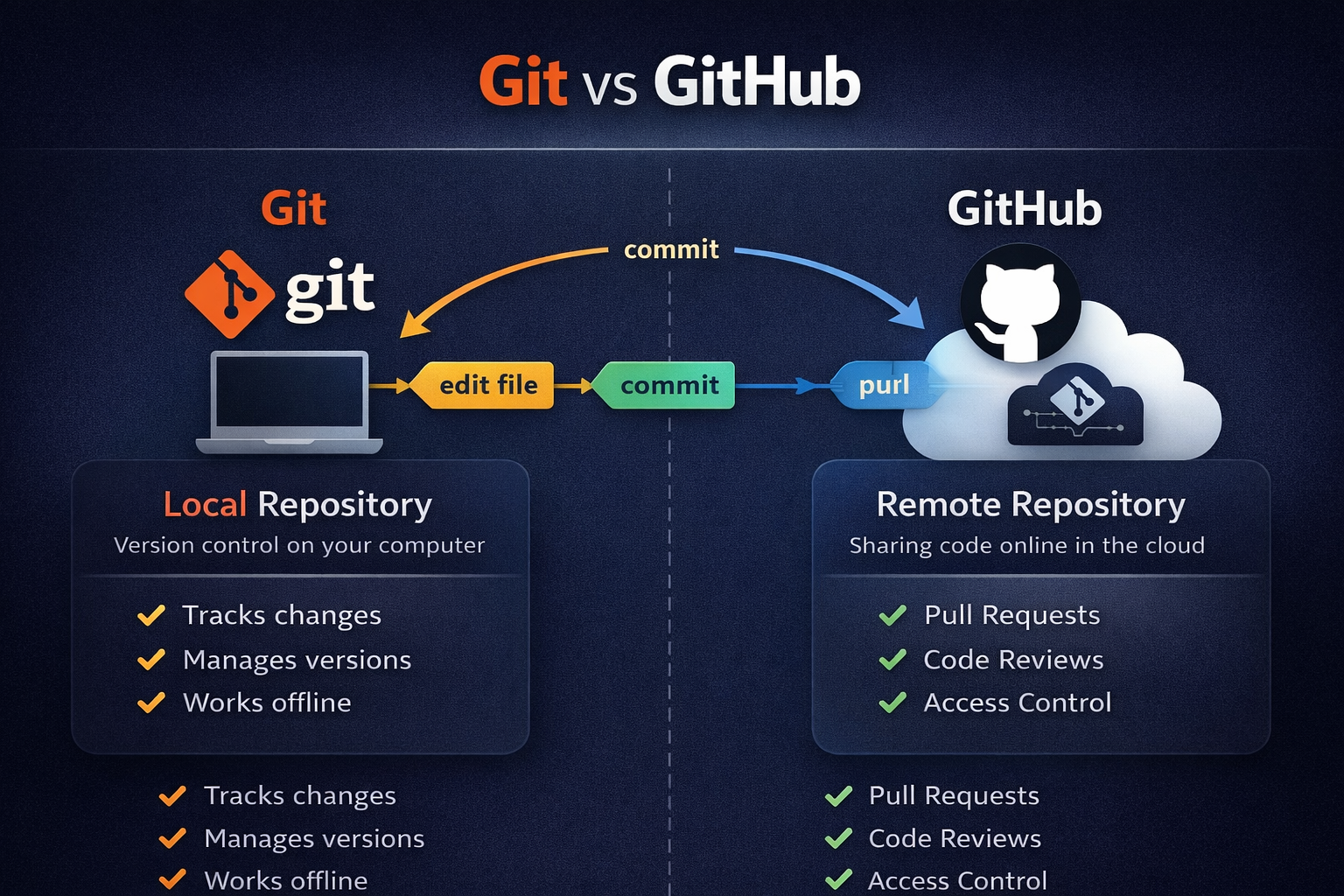
🧠 Git vs GitHub (in plain words)
Git
➡️ A tool on your computer
➡️ Tracks file changes
➡️ Manages versions (history)
➡️ Works offline
GitHub
➡️ A website/cloud platform
➡️ Stores Git repositories online
➡️ Enables sharing & collaboration
➡️ Handles pull requests, reviews, access
📌 Easiest way to remember:
Git controls your code history.
GitHub shares that history with the world.
🌱 The Easy Part (What I Thought I Already Knew)
At the beginning, everything felt familiar:
• Forking a repo
• Cloning it
• Creating folders
• Running git init
• Committing and pushing
It felt automatic.
I wasn’t thinking — just following steps I had done before.
At this stage, Git feels very forgiving.
If something goes wrong, you retry and it usually works.
But that comfort didn’t last long 😅
🔗 When Git and GitHub Finally Clicked
The real learning started when I dealt with:
• remotes
• authentication
• PAT tokens
• SSH keys
That’s when I realised something important:
👉 Git and GitHub are different things.
Git works locally — it tracks changes.
GitHub handles hosting, permissions, and collaboration.
Once I switched from PAT to SSH, it finally made sense.
Nothing changed in Git itself.
Only how I connected to GitHub changed.
That moment cleared a lot of confusion for me.
🌿 Branching Finally Felt Like Real Work

I had created branches before, but this time I actually used them properly.
I:
✔ Created a feature branch
✔ Worked only on that branch
✔ Pushed it separately
✔ Merged using a Pull Request
This showed me why people say:
“Don’t work directly on main.”
Branching stopped feeling like a rule.
It felt like the normal way things should be done.
⚠️ Undoing Changes Was the Scary Part
This was the hardest part for me.
Trying commands like reset and revert made me realise:
• some undo actions are safe
• some can destroy history
And Git doesn’t really warn you.
One wrong command — and things can disappear.
This is when Git stopped feeling like a toy and started feeling powerful (and dangerous 😄).
Now I understand why teams are careful with these commands.
🔁 Shortcuts That Are Helpful (But Can Cause Trouble)
Stashing and cherry-picking were interesting.
They’re great when:
• you’re in the middle of work
• need to switch tasks quickly
• only want one specific change
But I also saw how easily they can create confusion later.
They solve short-term problems,
but if overused, they can make a mess.
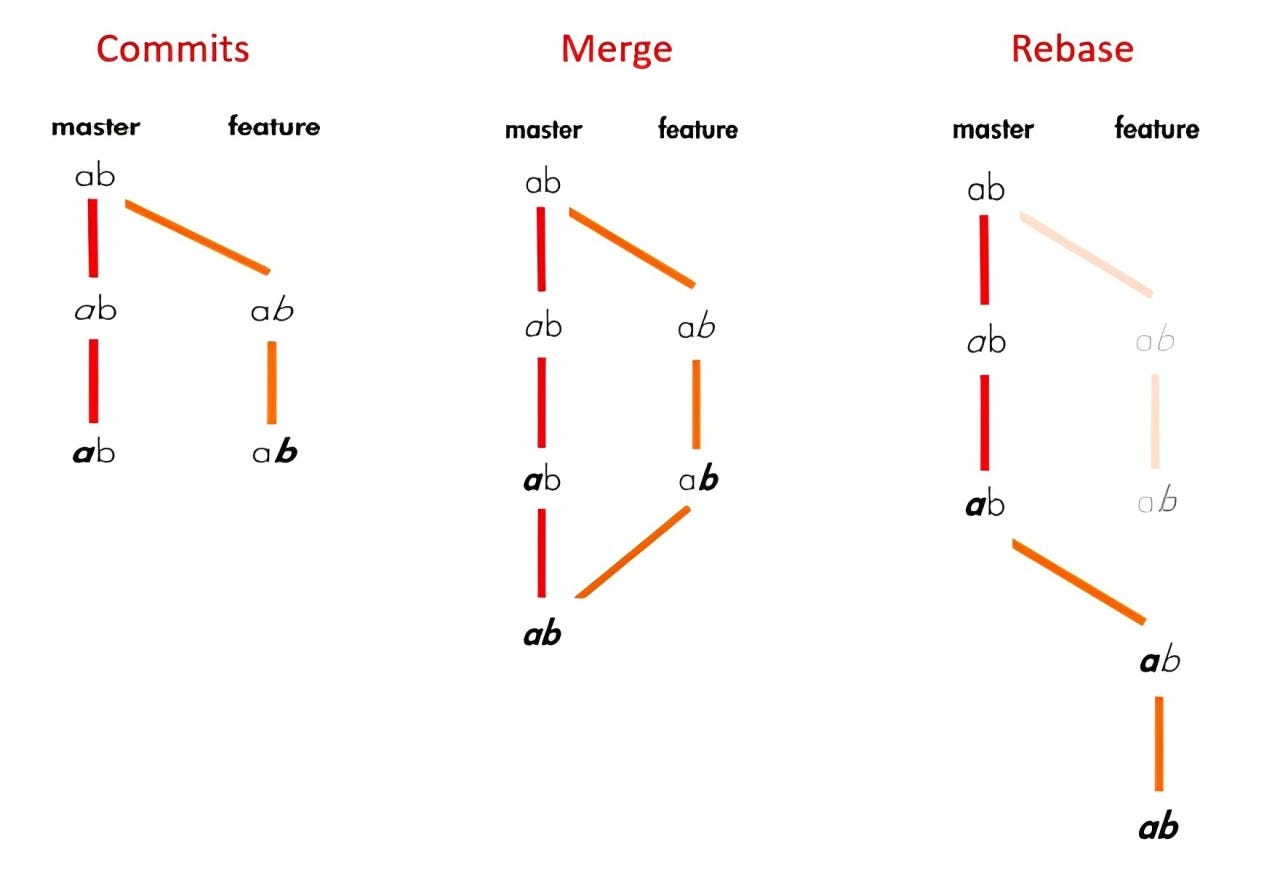
🧠 Rebasing Changed How I See Git History

4
Rebasing was a big eye-opener.
It showed me that Git history is not fixed.
You can:
• clean it
• rewrite it
• organize it
• or break it
That’s when Git started feeling like shared infrastructure instead of just a tool.
🏗 Branching Strategies Made It Feel Like Real Industry Work
Learning about different workflows taught me something simple:
There’s no perfect way.
Every strategy has pros and cons.
And usually — simpler workflows are easier to manage.
Branching strategies aren’t really about Git.
They’re about how teams work together safely.
🎯 Final Thoughts
This week didn’t teach me tons of new commands.
It taught me to be careful and intentional.
I still use the same basic Git flow.
But now I:
✔ understand what’s happening
✔ think before undoing things
✔ respect shared branches
Git didn’t suddenly become hard.
I just stopped using it blindly.
📌 I’ve documented all my Week 4 tasks and screenshots in my GitHub repo if anyone wants to check them out.
(https://github.com/Md-Khursheed/90DaysOfDevOps/tree/week4-git-github/2025/git)